
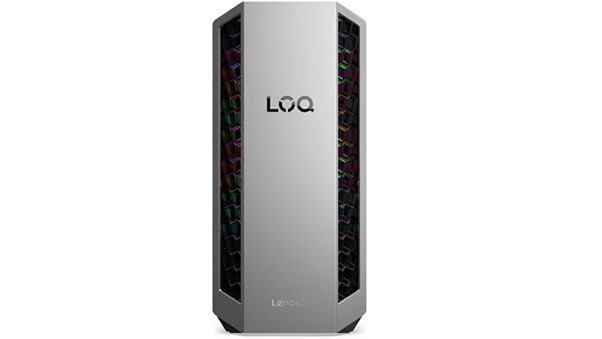
Gaming desktops work very hard when players run modern games. New games use strong graphics cards, fast processors, and large amounts of memory. These parts create a lot of heat during long gaming sessions. When the heat rises too much, the system slows down. In some cases, the computer may shut down to protect itself.
A recent report shows that the global PC gaming market has more than 1.8 billion players in recent years.
This number keeps growing every year. More players mean more powerful gaming systems in homes. A powerful gaming computer desktop needs good cooling to stay stable. Heat control helps protect expensive hardware. It also keeps games smooth and fast. Yet cooling also plays a big role in long-term performance.
The tips below help keep a gaming desktop cool and running smoothly.
Tip 1: Use Smart Airflow Inside the Case
Good airflow helps remove hot air from the system. Fresh air enters the case and pushes heat away from the parts. When air moves well, the processor and graphics card stay cooler. If you have a gaming computer desktop, you should know that it works best when air flows in a clear path. Front fans pull cool air inside. Rear fans push hot air outside. This simple movement keeps heat from building up. Many gamers forget this basic step. They install strong hardware but ignore airflow. A balanced airflow system improves performance and stability.
Ways to improve airflow
- Place intake fans at the front of the case.
- Install exhaust fans at the back.
- Keep a clear path for air movement.
- Avoid blocking vents with cables.
- Use a case that supports multiple fans.
When air flows freely, the gaming desktop runs smoother during long play sessions.
Tip 2: Clean Dust From Your System Often
Dust causes major cooling problems in many computers. It blocks fans and covers heat sinks. When this happens, the system traps heat inside the case.
A gaming desktop collects dust over time. It builds up inside power supplies and cooling fans. If you clean the system, it helps restore airflow and keeps fans working at full speed.
Why Dust Creates Heat Problems
Dust acts like a blanket over computer parts. It stops heat from leaving the surface. Fans also slow down when dust sticks to the blades. Players who buy gaming desktop deals sometimes forget this simple maintenance step. Yet cleaning helps protect that investment.
Simple Cleaning Steps
- Turn off the computer before cleaning.
- Use compressed air to remove dust.
- Clean fan blades gently.
- Remove dust from vents and grills.
- Clean the case every few months.
Tip 3: Use High-Quality Cooling Fans
Cooling fans move air through the system. Strong fans remove heat faster. Weak fans struggle when hardware works under heavy load.
Modern games push the processor and graphics card very hard. A gaming computer desktop needs reliable cooling fans to handle this pressure. Many gaming cases support several fans. Extra fans help control heat during long gaming sessions.
Choosing Better Cooling Fans
Good fans offer strong airflow and quiet operation. They also last longer than cheap models. Gamers who search for gaming desktop deals should also check the cooling system that comes with the case.
Features to look for
- High airflow rating.
- Quiet operation
- Durable fan bearings.
- Good build quality.
- Compatibility with the case.
Better fans move heat out quickly. This keeps the system stable and smooth.
Tip 4: Manage Cables for Better Cooling
Cables may look harmless inside a computer case. Yet messy cables block airflow. Air cannot move freely when wires sit in the airflow path.
A gaming desktop with good cable management allows cool air to reach every component. Modern cases include cable routing spaces behind the motherboard. These channels keep wires out of the main airflow path.
Benefits of cable management
- Better airflow inside the case.
- Cleaner system layout.
- Easier hardware upgrades.
- Lower internal temperatures.
Players often focus on gaming desktop deals and powerful hardware. Yet neat cable management improves cooling without extra cost.
Tip 5: Upgrade the CPU Cooler
The processor produces a lot of heat during gaming. A stronger cooler removes this heat faster. Many computers ship with basic coolers. These coolers work for normal tasks but struggle during heavy gaming. A gaming computer desktop can benefit from an upgraded cooling system. Tower air coolers or liquid coolers handle heat better.
Why CPU Cooling Matters
The processor controls many game processes. When heat rises, the CPU slows down to protect itself. This slowdown reduces game performance.
Cooling Options Gamers Use
- Large tower air coolers.
- Liquid cooling systems.
- Dual fan heat sinks.
- High-performance thermal paste.
Better cooling keeps the processor stable. Stable performance helps games run smoothly.
Tip 6: Place the Desktop in a Cool Location
The room environment affects computer temperature. A hot room makes cooling harder. Fresh cool air helps the system remove heat faster. A gaming computer desktop should sit in a well-ventilated space. Avoid placing the system inside closed cabinets. Also, keep the system away from heaters or direct sunlight.
Simple placement tips
- Keep the desktop on a desk or open space.
- Leave space around the case for airflow.
- Avoid tight corners or shelves.
- Keep vents clear at all times.
Many gamers who buy gaming desktop deals forget this simple factor. Yet room temperature affects system performance.
Conclusion
Gaming desktops offer high-quality performance to meet the current gaming needs. The graphics cards, memory, and hardware are very powerful and allow users to enjoy the best gaming. But these components are likely to generate heat following extended gaming. This may lead to slowing down or even shutting down of the system.
A gaming computer desktop is most effective when the temperature is controlled. This is achieved through the proper airflow, cleaning of the system and use of strong cooling fans.
These are basic practices that are used to keep the hardware of the system. Gamers seek gaming desktop offers when buying a new gaming computer. Nevertheless, the system should be maintained.